Plans, payments and invoices
Your free trial, choosing a plan, paying by UPI or card, invoices and cancelling.
- Time:
- about 5 min · 17 steps
- You need:
- Owner or admin in your Kylip workspace · A UPI app, debit or credit card, or netbanking · 5 minutes
Every new workspace starts with a 7-day free trial. No card is needed, and nothing is charged unless you choose a plan.
All plans include every Kylip feature. The only difference is how many people can use the workspace (team seats). Prices are in Indian Rupees and are final: no GST is added.
Open Billing
Step 1: Open Billing
Click your name at the bottom of the left menu, then click Billing. Only owners and admins see it.
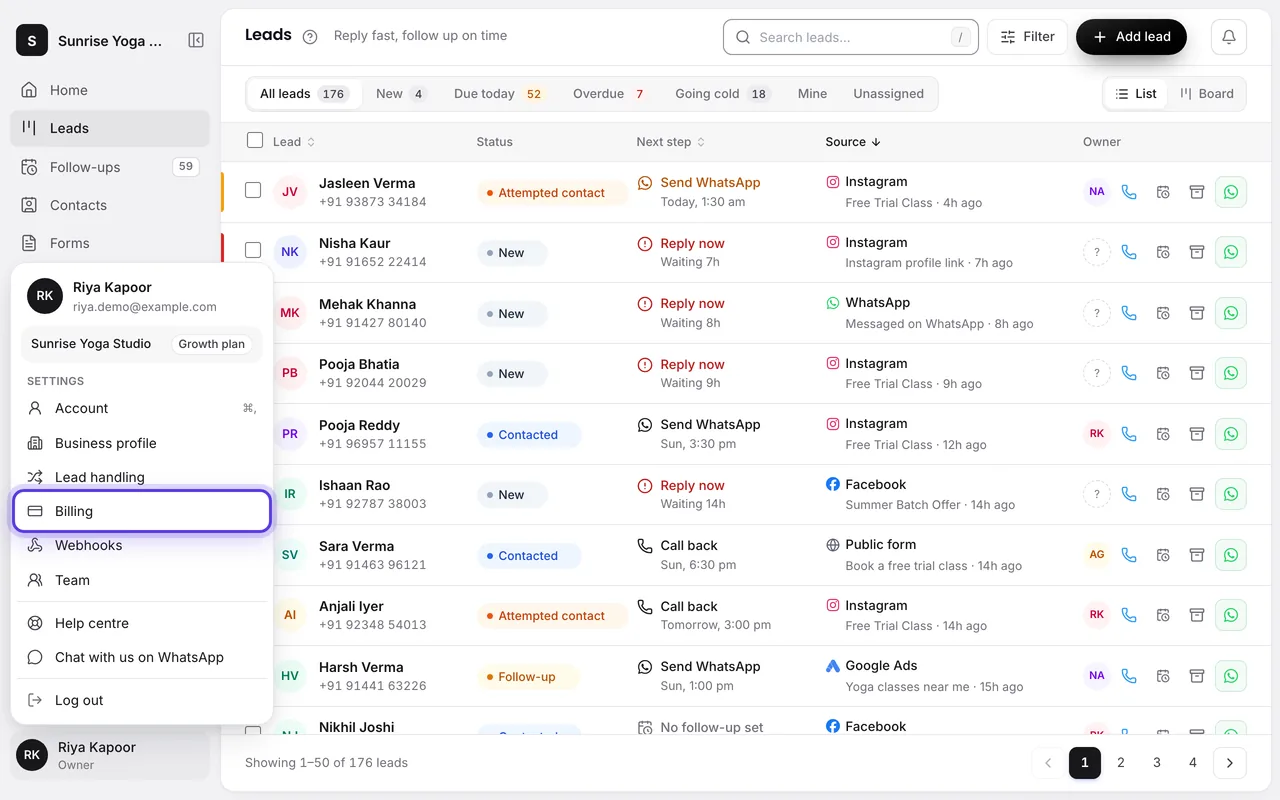
Billing is in the account menu, with your other settings. Step 2: Check your plan
The top card shows your plan, its status, and when your trial ends or your plan renews. Plan details shows the price, billing cycle and how many team seats are used.
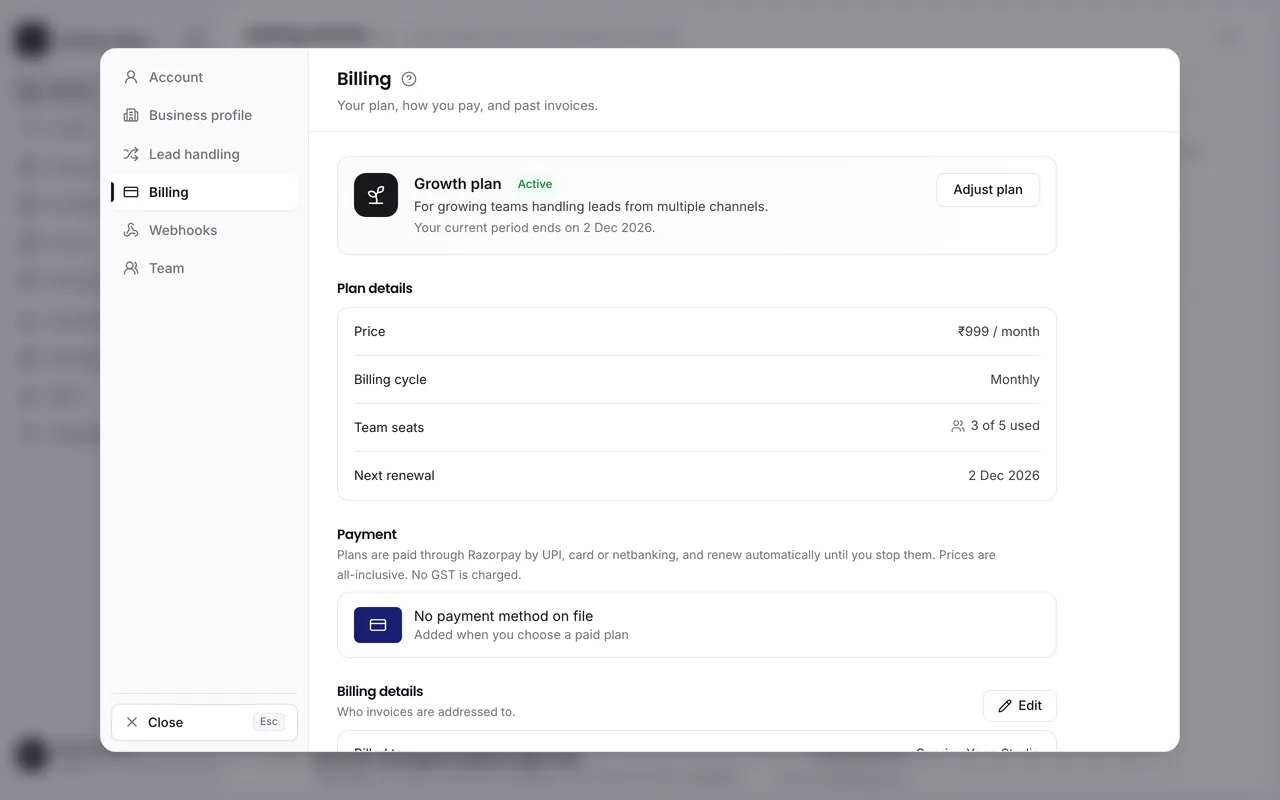
This workspace is on the Growth plan, paid monthly.
Choose a plan
Pick a plan by the number of people who will use Kylip. Yearly costs the same as 10 months, so you get 2 months free.
Kylip plans
- Plan
- Starter
- Team seats
- 3
- Monthly
- ₹499 / month
- Yearly
- ₹4,990 / year
- Plan
- Growth
- Team seats
- 5
- Monthly
- ₹999 / month
- Yearly
- ₹9,990 / year
- Plan
- Scale
- Team seats
- 10
- Monthly
- ₹1,499 / month
- Yearly
- ₹14,990 / year
- Plan
- Enterprise
- Team seats
- As many as you need
- Monthly
- Talk to us
- Yearly
- Talk to us
Step 3: Open the plans
In Billing, click Choose a plan (it says Change plan once you pay for one). During your trial you can also click Upgrade plan in the account menu.
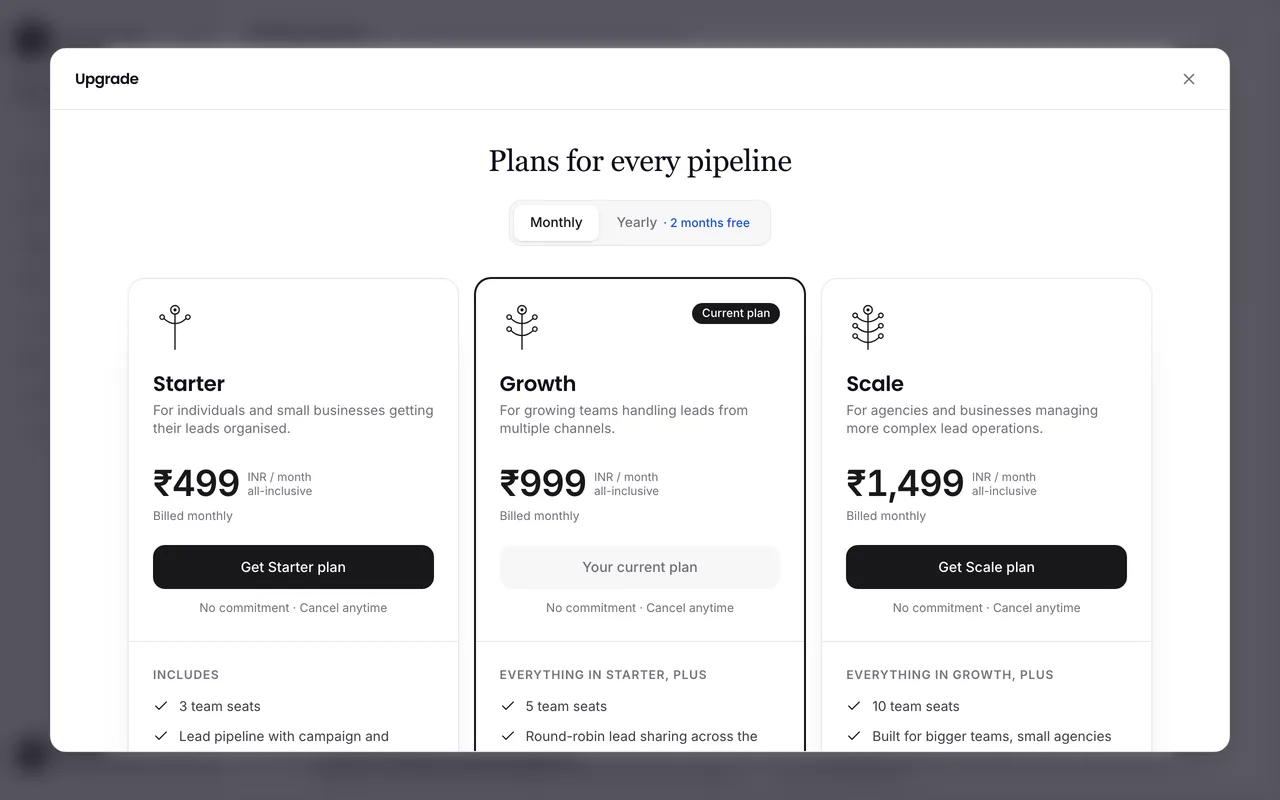
Your current plan is marked, so you can compare it with the others. Step 4: Pick monthly or yearly
At the top, click Monthly or Yearly. The prices on each plan change to match.
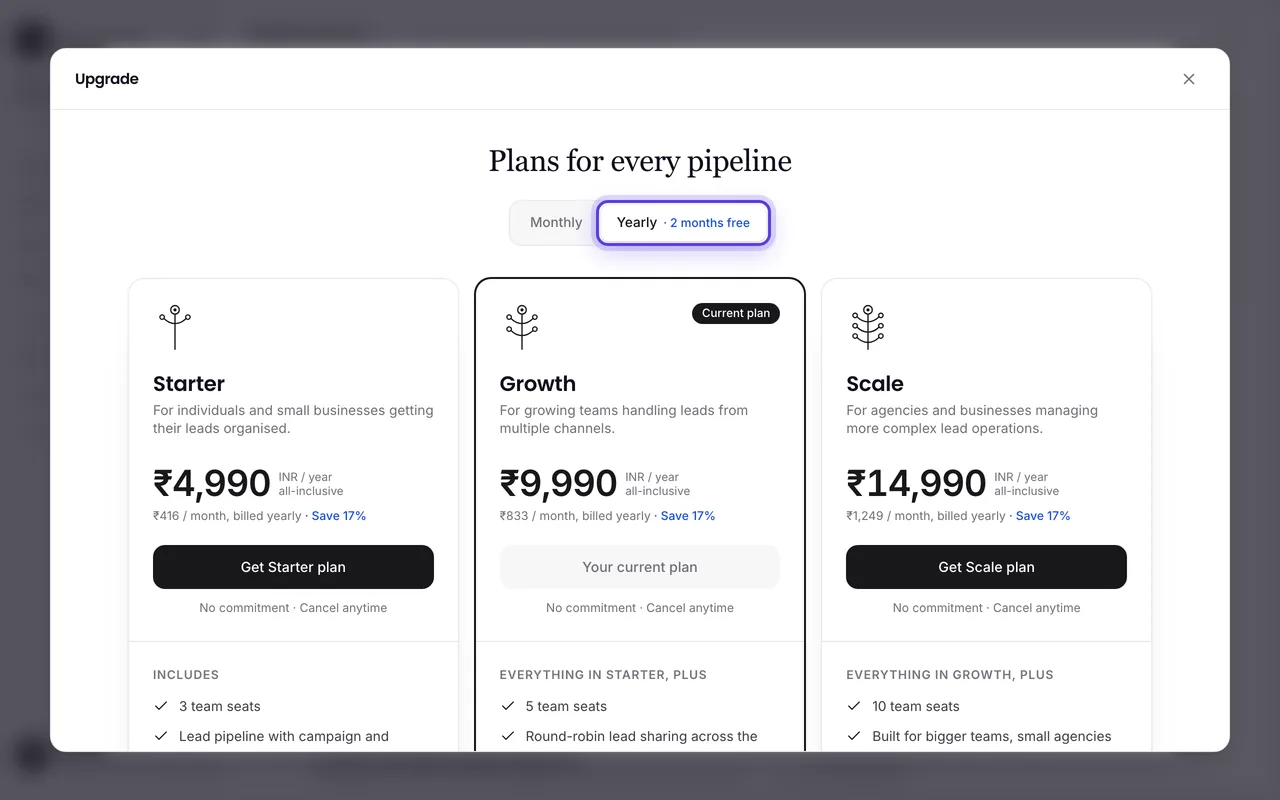
Yearly shows the price per month, billed once a year. Step 5: Choose your plan
Click Get Starter plan, Get Growth plan or Get Scale plan. Then fill in your Billing information: the name, email and address for your invoices. GSTIN is optional.
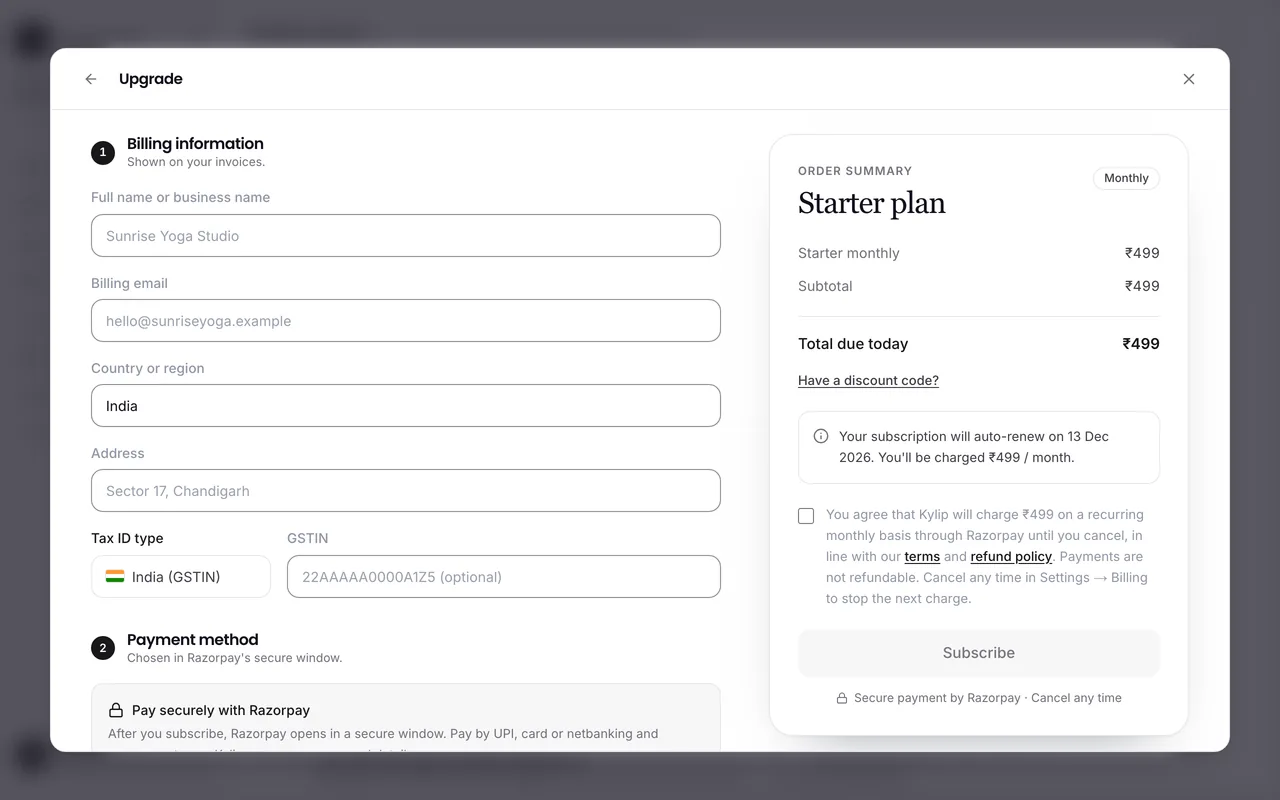
The order summary shows exactly what you pay today. Step 6: Add a discount code
Got a code from a Kylip partner or the Kylip team? Click Have a discount code?, type it and click Apply. The discount shows in the order summary.
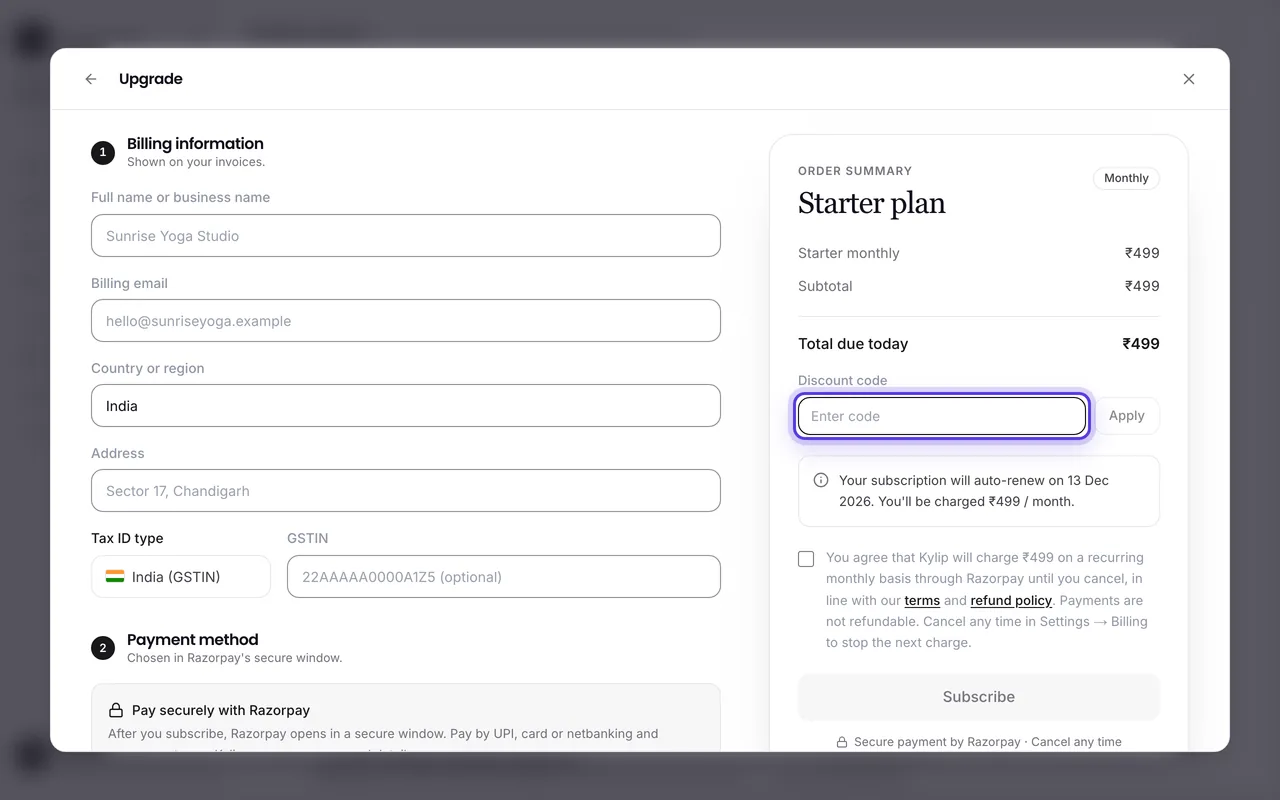
Codes work only when you pay by UPI or card. Step 7: Agree and subscribe
Read the line under the order summary and tick the box to agree. Then click Subscribe.
Step 8: Pay in the Razorpay window
A secure Razorpay window opens. Pay by UPI Autopay with any UPI app, a debit or credit card (Visa, Mastercard, RuPay), or netbanking, and approve autopay. Kylip never sees your payment details.
Change your plan
Already paying? You can move to another plan, or between monthly and yearly, yourself. You always see the exact amount before you confirm, and you're never charged twice.
Step 9: Open Change plan
In Billing, click Change plan. Your plan and billing cycle are marked Your current plan. Click Upgrade to Growth (or the plan you want), or Switch to yearly to keep your plan and change how often you pay.

Higher plans say Upgrade; the rest say Switch. Step 10: Upgrade: pay only the difference
A higher plan starts straight away. You pay the new plan's price for the days left in this month (or year), less what's unused of your current plan. For example, ₹499 to ₹999 with 15 days left costs ₹250 today. From your next billing date you pay the new plan's full price.
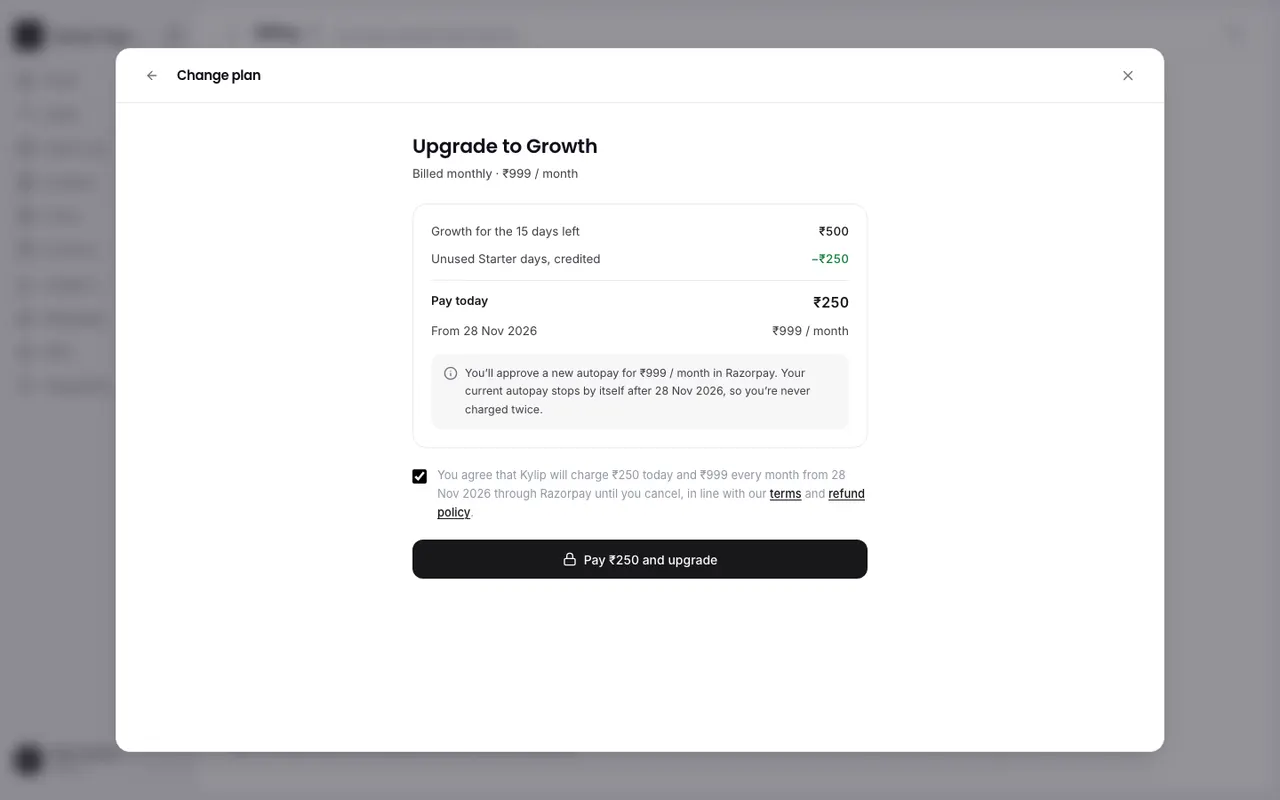
The credit is based on what you actually paid, so a discounted first month gives a smaller credit. Step 11: Downgrade or switch cycle: from your next bill
A lower plan, or a move between monthly and yearly, starts on your next billing date. Nothing is charged today, and you keep your current plan until then.
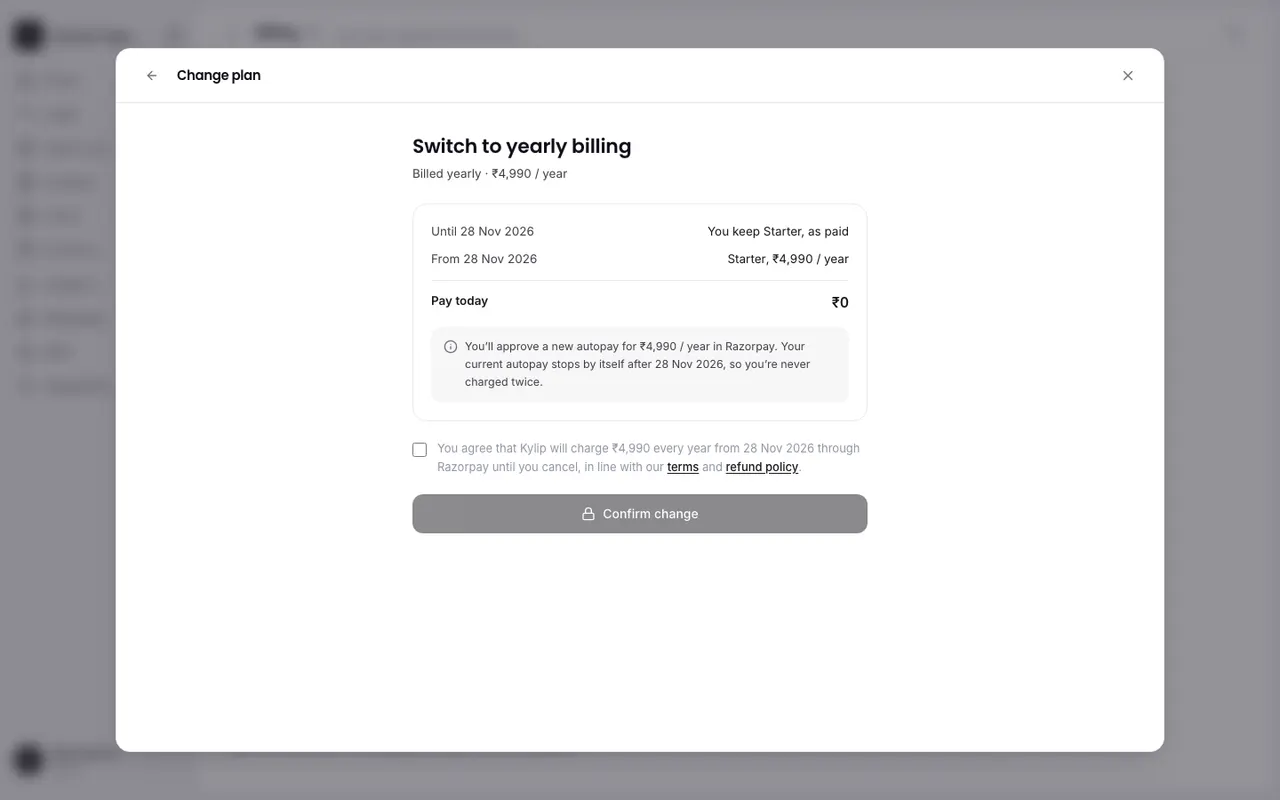
The date the change starts is shown before you confirm. Step 12: Approve the new autopay
Tick the box and click Pay ₹… and upgrade or Confirm change. Razorpay opens: approve the new autopay with UPI or your card. Your old autopay stops by itself.
Step 13: See what's coming
A change that starts on your next billing date shows under your plan in Billing, for example Moves to Starter, billed yearly, on 28 Nov. To undo it, open Change plan and choose your current plan again.
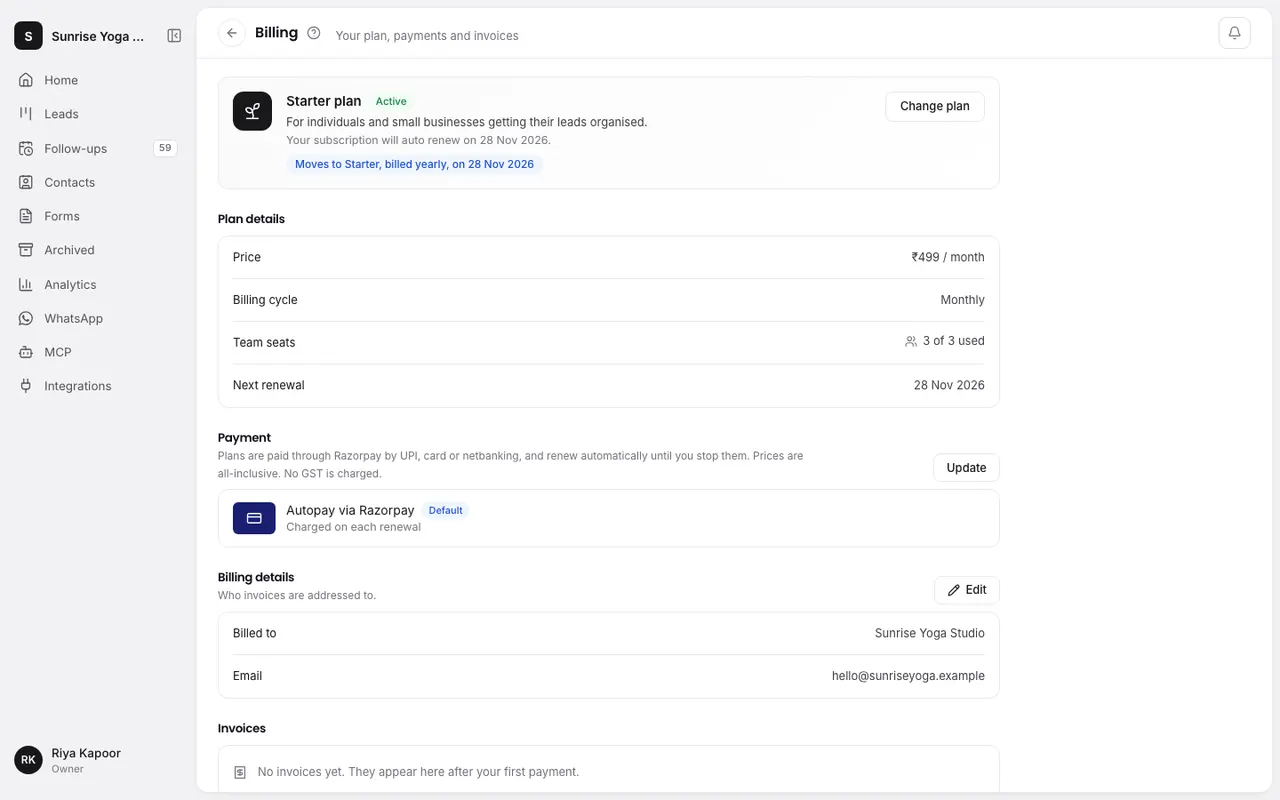
Nothing changes until that date.
Invoices and billing details
Step 14: Download an invoice
In Billing, scroll to Invoices. Each payment has an Invoice button that saves a PDF. Invoices appear after your first payment.
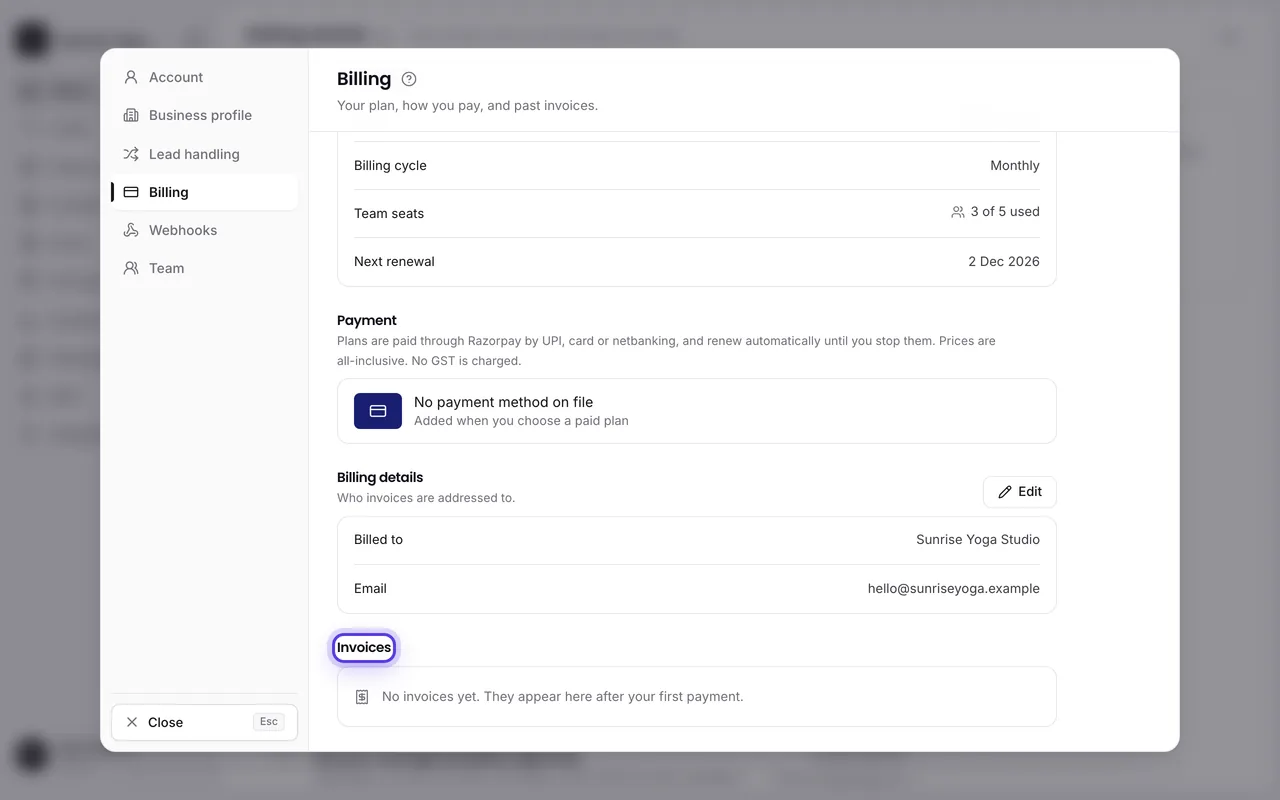
No payments yet here. Each payment shows its date, plan, total and an Invoice button. Step 15: Change who invoices go to
Under Billing details, click Edit. Change the billing email, registered business name, GSTIN or billing address, then click Save changes.

These details print on your next invoices.
Cancel your plan
You can cancel any time. Cancelling stops the next charge. Payments already made are not refunded, so cancel before your renewal date to avoid the next charge.
Step 16: Cancel from Billing
In Billing, scroll to Cancellation and click Cancel. Then click Cancel plan to confirm. During a trial or free months, the button says Stop autopay instead.
Step 17: Keep using it until the end
Your plan stays active until the end of the period you have paid for. After that, your workspace becomes read-only: you can still see and export your leads, and new leads keep arriving.
Common problems
My payment failed.
Razorpay shows why, for example “Your payment could not be completed.” Try again with another UPI app or card. If money left your account but the payment failed, Razorpay usually returns it by itself within a few working days. See Payment failed.
Billing says “Payment due”.
Your last renewal didn't go through. Click Set up payment again in Billing to pay with another card or UPI app.
My discount code doesn't work.
Kylip tells you why: “That code isn't valid.”, “That code has expired.”, “You've already used that code.” or “That code works on monthly plans only.” Codes also work only when you pay by UPI or card.
I paid, but my plan isn't active.
Wait a few minutes and reload Billing. If it still isn't active after 24 hours, email info@kylip.app with your workspace name and the Razorpay payment ID. We activate it, or refund the payment in full.
Can I get a refund?
Payments are not refunded, including for a partly used month or a renewal you forgot to cancel. We return money only for a wrong charge, such as being charged twice or after you cancelled. Email info@kylip.app with the Razorpay payment ID.
My free trial ended. Did I lose my leads?
No. Your workspace becomes read-only: you can see and export all your leads, and new leads keep arriving. Choose a plan to add notes, follow-ups and changes again.
I need more team seats.
Move to a bigger plan by emailing info@kylip.app. For more than 10 people, ask about the Enterprise plan.
Was this helpful? Message us on WhatsApp
Still stuck?
Message the Kylip team on WhatsApp and a real person will help you. Or email info@kylip.app.